CSS Foundations: Style Your First Web Page - Web Development (Professional Practice)

Plain HTML is functional, but unstyled pages do not engage users. This course provides comprehensive training in modern CSS, guiding you from fundamental syntax and the box model to advanced, responsive layouts. You will transform a raw document into a professionally styled, multi-component webpage from scratch, learning the complete workflow for styling a real-world project. Mastery of CSS is a non-negotiable skill for any web professional. The techniques covered are directly applicable to building professional portfolios, business websites, or the front end of any web application. This course equips you with the practical skills to translate design concepts into responsive, production-ready code for any device, ensuring your projects look polished and professional. You will learn to write clean CSS and master selectors, specificity, and the box model. The course covers building a complete mobile-first layout with Flexbox and creating a consistent design system with CSS variables. You will finish by styling individual components like cards and forms, and controlling element context with the `position` property and `z-index`. This programme is built for anyone with a basic knowledge of HTML, including aspiring front-end developers and university students. Experienced programmers will find it a direct path to modernising their layout skills, while UI/UX designers will gain a practical understanding of the medium for which they design.

14 hrs

Enrolment valid for 12 months
This course is also part of the following learning track. You may join the track to gain comprehensive knowledge across related courses.
Modern Web Development Foundations - From Zero to Your First Interactive Website
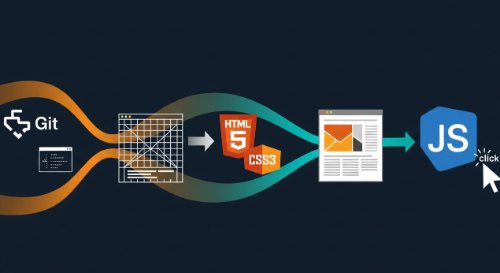
This is the direct path to building professional-grade web development skills. This learning track is a comprehensive programme covering the entire modern front-end stack, engineered to take you from zero knowledge to possessing a practical, portfolio-worthy skillset. It moves logically from foundational web concepts and professional tools, through structuring content with HTML5, styling with modern CSS, and finally, building dynamic user experiences with JavaScript. This programme is built for individuals starting a career in technology with no prior coding experience. It is the essential curriculum for aspiring front-end developers, full-stack engineers, and computer science students. It also serves professionals in adjacent roles - such as UI/UX designers and product managers - who require a practical understanding of web technologies to excel in their careers. By the end of this learning track, you will have the ability to build, style, and launch a fully interactive, responsive website from a blank file. You will master the professional developer's toolkit - Git, the command line, and an AI-assisted editor - and write clean, semantic code. This track provides the foundational project and technical skills to confidently begin your career path toward junior developer roles and to build robust personal or business projects.

This is the direct path to building professional-grade web development skills. This learning track is a comprehensive programme covering the entire modern front-end stack, engineered to take you from zero knowledge to possessing a practical, portfolio-worthy skillset. It moves logically from foundational web concepts and professional tools, through structuring content with HTML5, styling with modern CSS, and finally, building dynamic user experiences with JavaScript. This programme is built for individuals starting a career in technology with no prior coding experience. It is the essential curriculum for aspiring front-end developers, full-stack engineers, and computer science students. It also serves professionals in adjacent roles - such as UI/UX designers and product managers - who require a practical understanding of web technologies to excel in their careers. By the end of this learning track, you will have the ability to build, style, and launch a fully interactive, responsive website from a blank file. You will master the professional developer's toolkit - Git, the command line, and an AI-assisted editor - and write clean, semantic code. This track provides the foundational project and technical skills to confidently begin your career path toward junior developer roles and to build robust personal or business projects.

See more

Course Chapters

1. Introduction
3
This chapter sets the stage for styling our portfolio. We will connect our stylesheet to the project and establish the core concepts and workflow you will use to bring your design to life. By the end, you will: understand the role of CSS; connect a stylesheet to your project; and be prepared to translate your visual design into code.
Concept Overviews
3 Lessons
24:37
2. CSS Fundamentals
7
This chapter covers the fundamental 'physics' of CSS. Using simple, isolated examples, you will master the core concepts of selectors, the box model, typography, colours, and the rules of specificity before we apply them to our main project. By the end, you will: master the most common CSS selectors; define and use colours effectively; control typography; understand the box model; and explain how CSS specificity works.
Concept Overviews
7 Lessons
3:07:25
3. Setting Global Styles
3
This chapter covers the critical initial setup for any professional web project. You'll establish a consistent styling foundation, ensuring your design appears predictably across all browsers, and centralize core design values for efficient project management. By the end of the chapter, you will master CSS resets, define global design tokens, and integrate custom web fonts to precisely match your design's aesthetic.
Concept Overviews
3 Lessons
1:30:52
4. Layout with Flexbox
6
This chapter introduces Flexbox, the essential tool for modern layouts. We will use it to arrange and align the components of our portfolio page, transforming our vertical stack of elements into a professional layout that matches our design. By the end, you will: understand the core concepts of Flexbox; align items horizontally and vertically; and build the main layouts for our portfolio's header, hero, and skills sections.
Concept Overviews
6 Lessons
2:41:42
5. Styling the Components
4
With the main page layout complete, this chapter focuses on styling individual components. We will apply the visual polish required to transform our raw structure into a professional user interface, moving from broad architecture to detailed aesthetics. Key topics include styling cards with shadows and spacing, making tables readable with custom borders and colours, creating consistent form elements, and adding interactive hover effects with transitions.
Concept Overviews
4 Lessons
1:55:31
6. Element Context
2
This chapter covers the position property, a tool for taking elements out of the normal document flow. While Flexbox manages the main layout, mastering positioning is essential for creating complex, layered user interfaces like sticky headers and overlay menus. Key topics include using the position property's values (sticky, absolute, relative), creating positioning contexts to anchor elements, and managing overlapping layers with the z-index property to control stacking order.
Concept Overviews
2 Lessons
56:41
7. Conclusion
2
This final chapter provides a comprehensive review of the project and a clear roadmap for your continued learning. We will recap the key CSS concepts applied to build the portfolio page and look ahead to the next steps in your journey as a web developer. Key topics include a review of the responsive layouts and styled components you created. We will then outline a path for further practice, introduce advanced CSS concepts like Grid and animations, and explain how JavaScript will bring your project to life.
Concept Overviews
2 Lessons
13:45